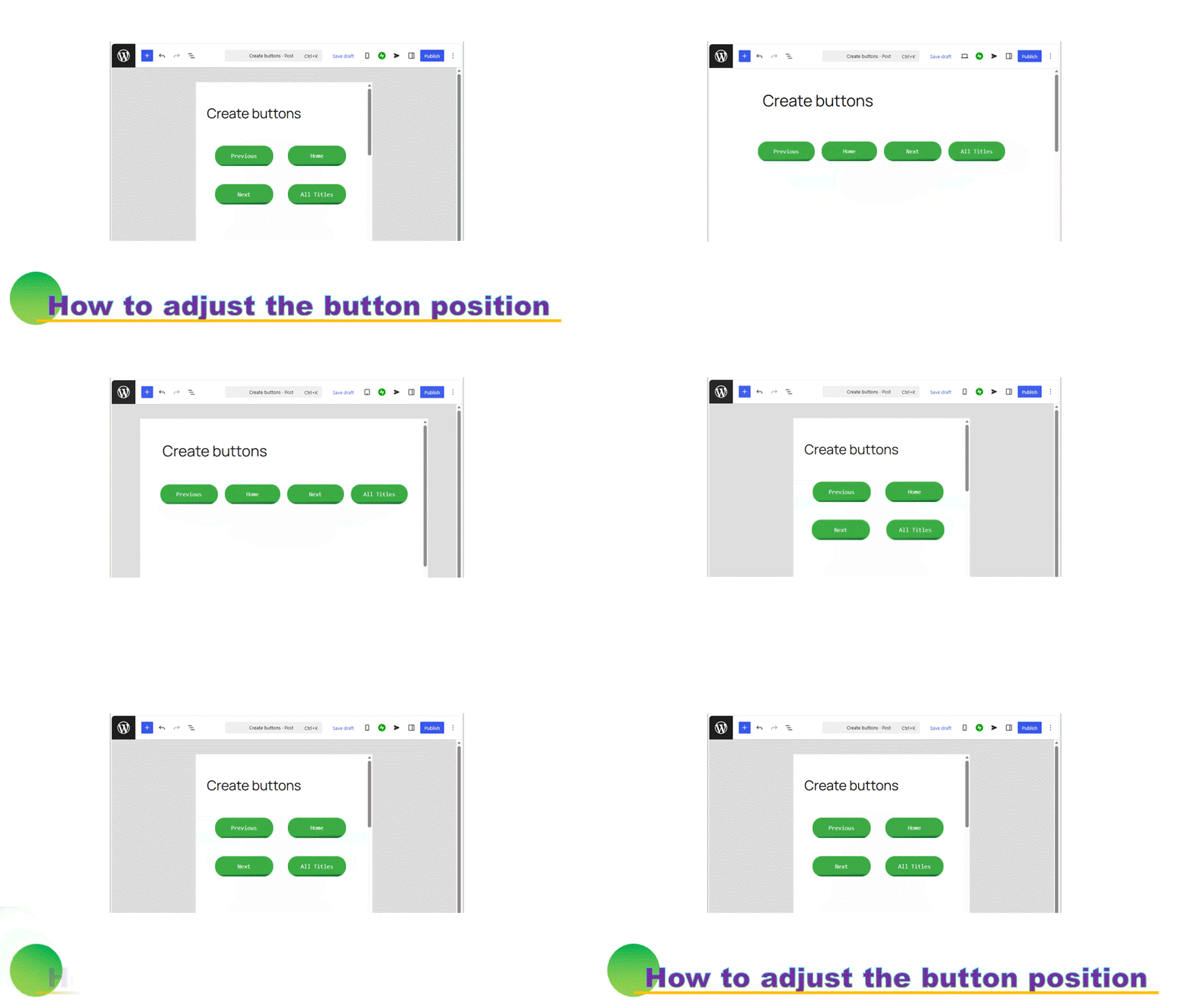


In exact, creating beautiful buttons is a hard way. The most easiest and effective method is to create buttons by the same character number with monospaced font.
If you want to know creating the buttons from scratch, please refer to below.

Create the buttons as same width
In the website, a space is ignored except for Paragraph. Let you use a hyphen or others to adjust the number of characters as same.

Then, change all characters to monospaced.
Use “Inline code” or “Keyboard input”.
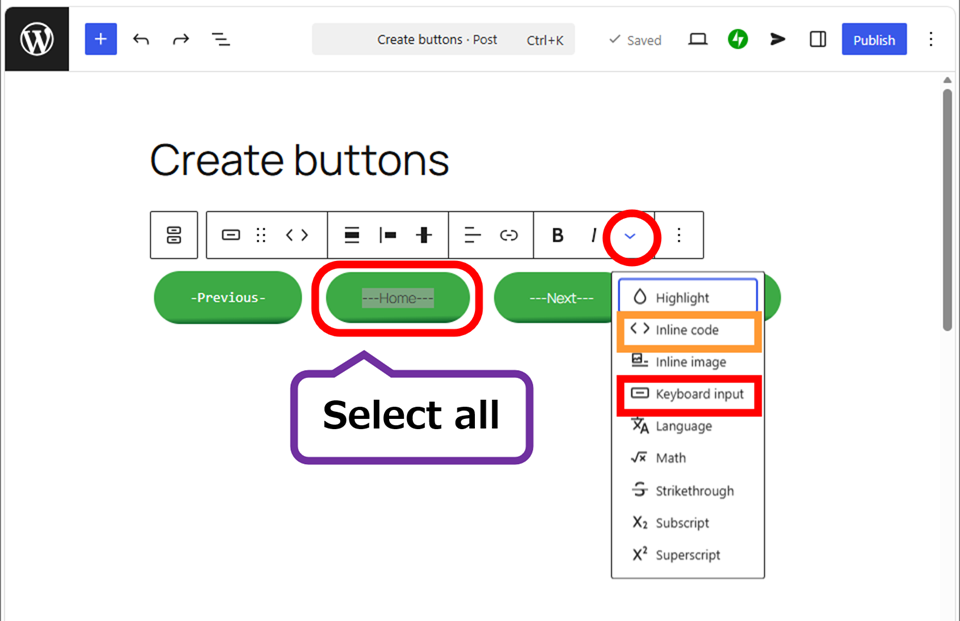
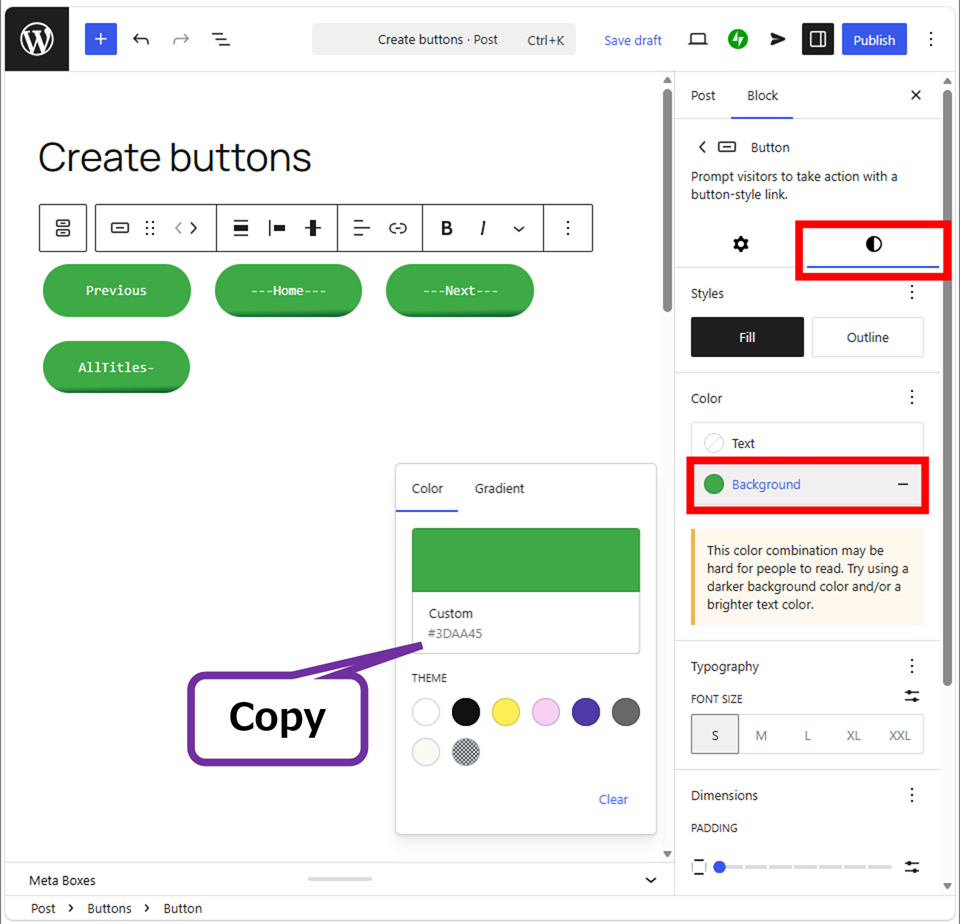
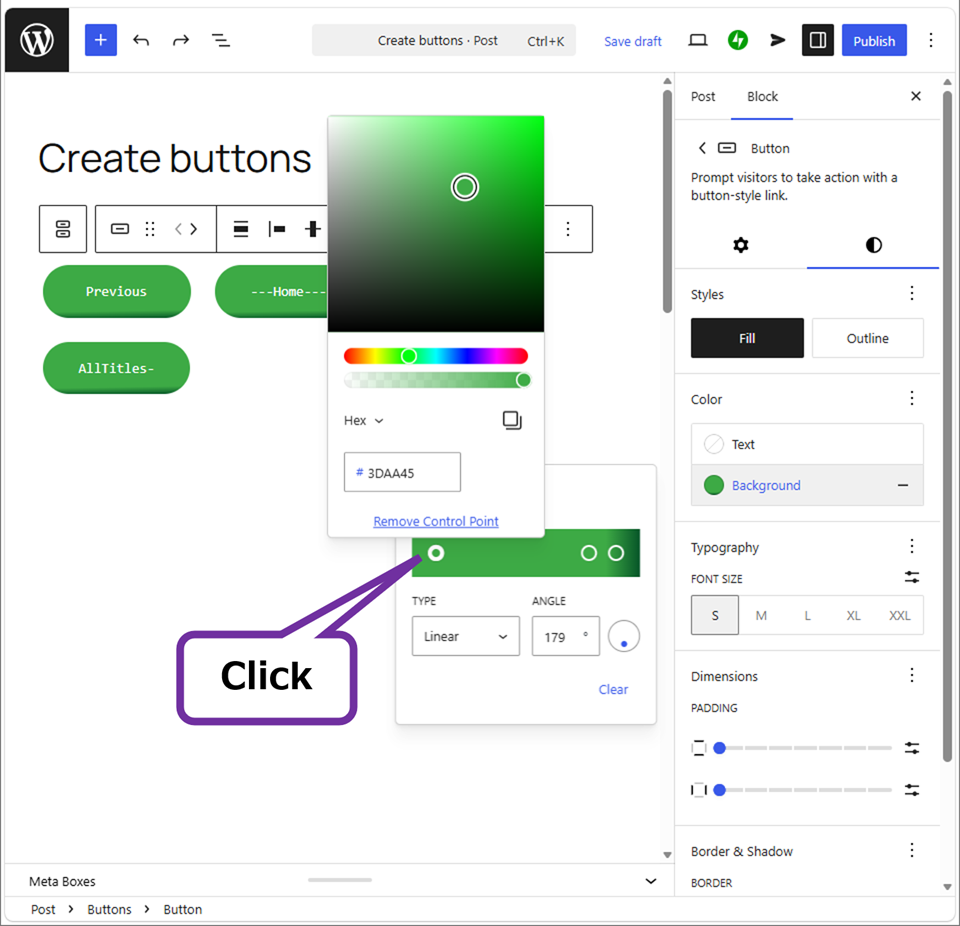
Hide the needless characters with changing to same color as the button.
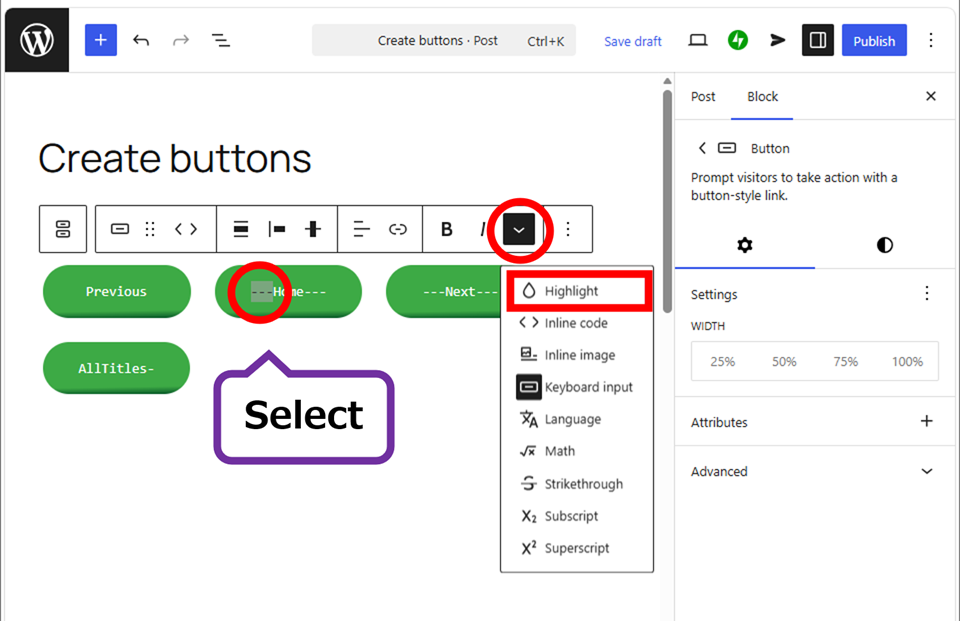
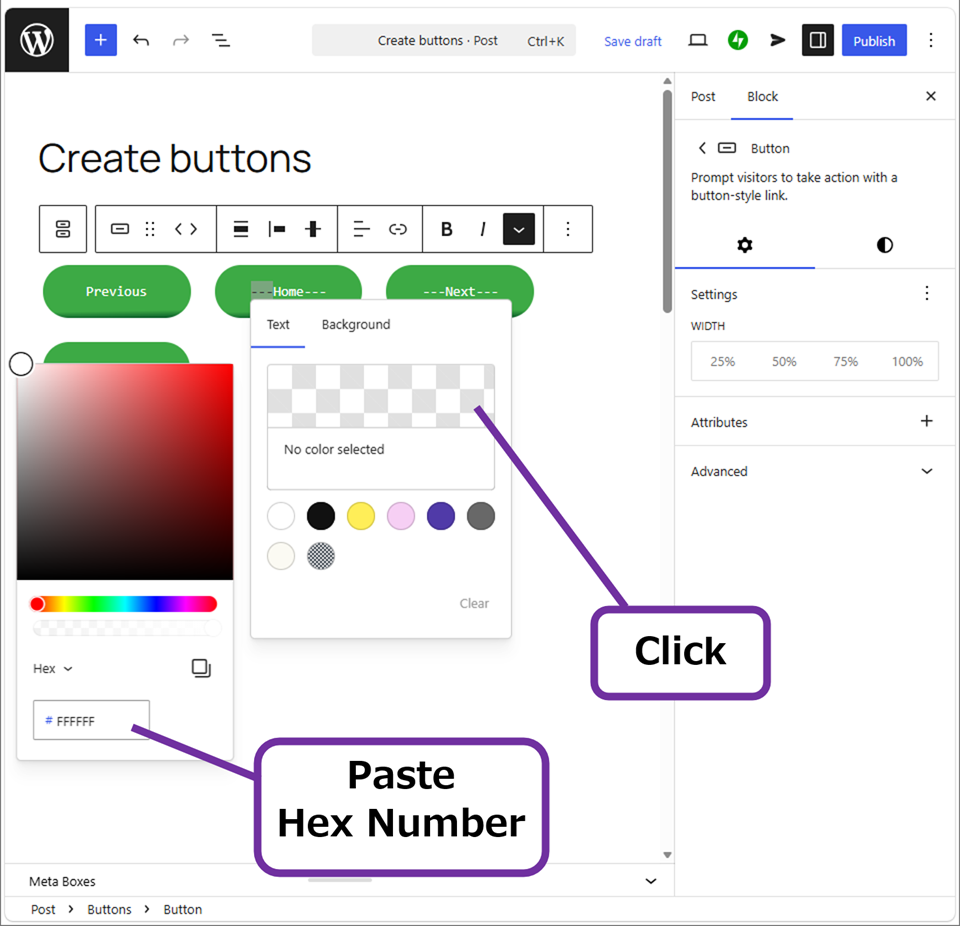
If you don’t know the color of button, see the background of button.
Adjust the button positions
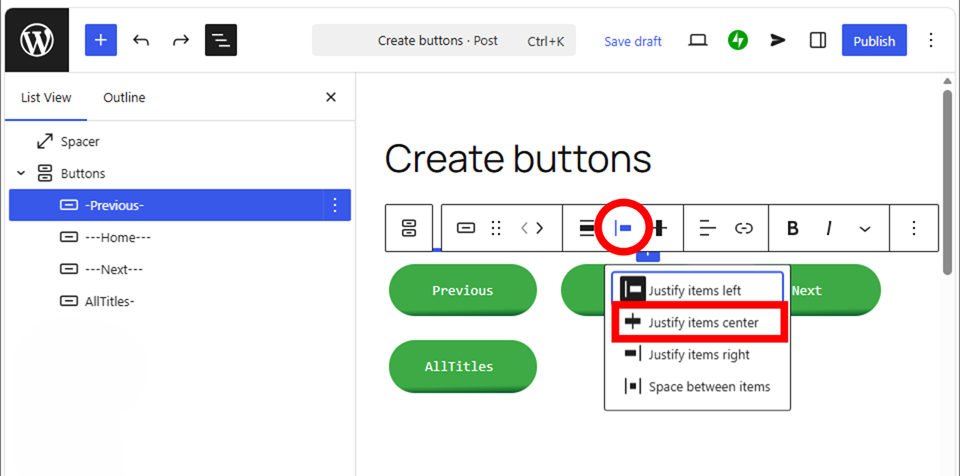
Make the buttons centered. This operation can do from both parent block and child block of a button block. The change is configured on both.
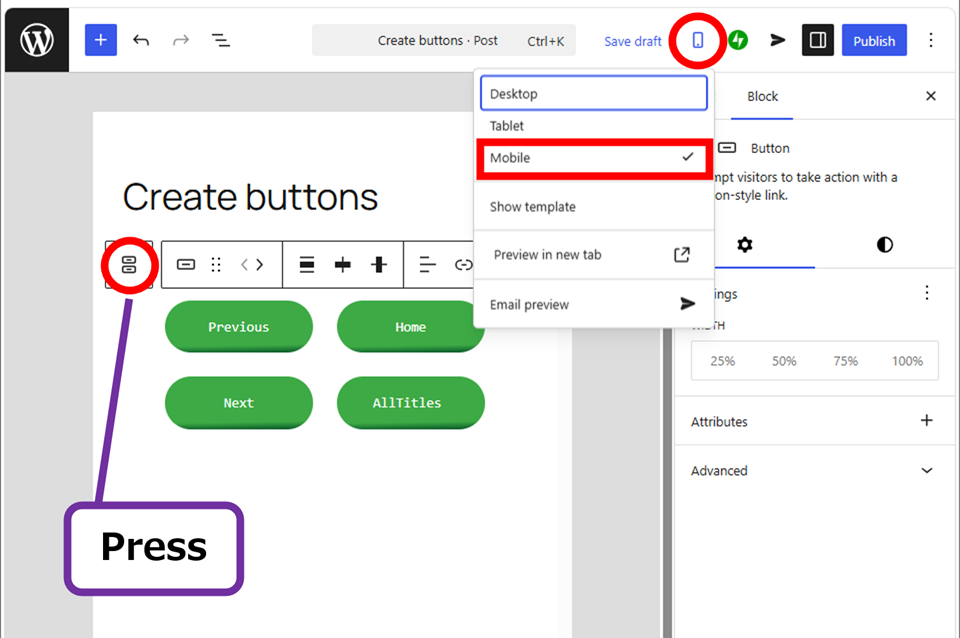
Then, go to a parent block of button block, adjust the position.
Changed the screen to “Mobile”, you will find the best position.
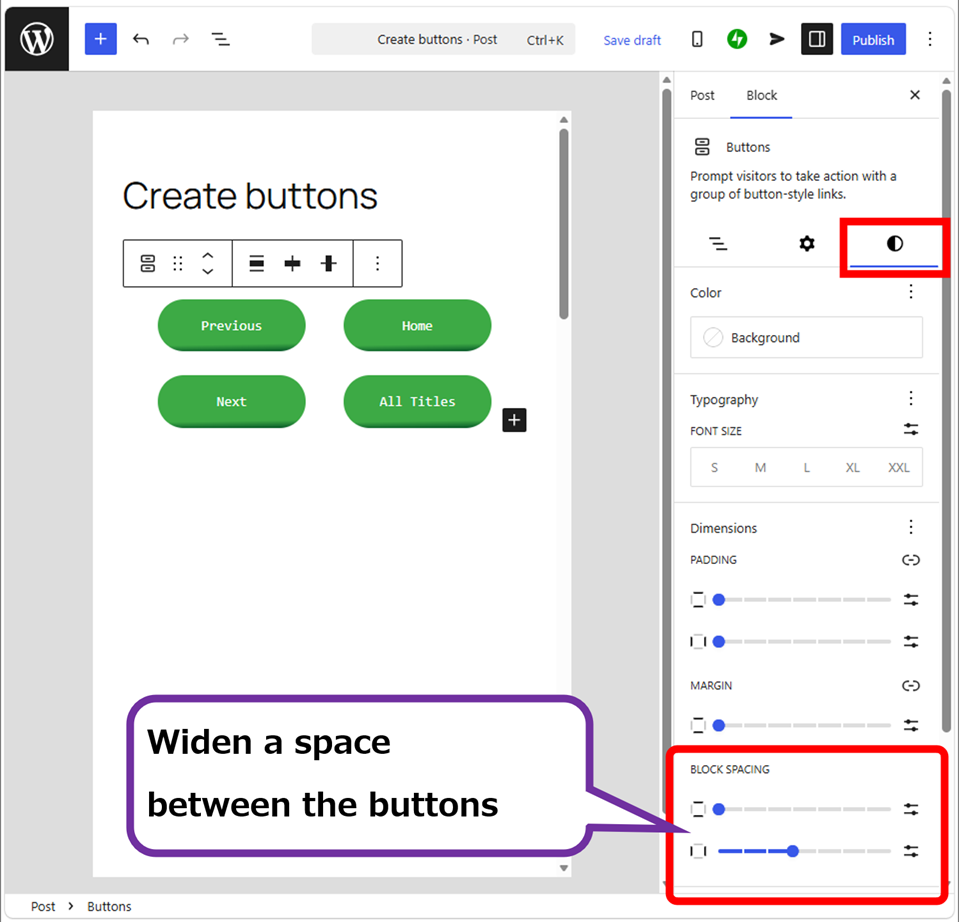
◎ Example
Check the appearance with changing a device.
This Block spacing is configured for this theme, so that it is different from other themes. The genuine WordPress theme “Twenty Twenty-Five” is better not to configure Block spacing.
And above buttons are not used the proportional font, so it becomes a bit larger of the character limit. If you want to create the more beautiful buttons, try another method below.
Thank you for reading.
If you feel this article “Like!”, click the ads below ⇩⇩
Your click makes my affiliate income. It motivates me (^^;.
If you give a tip ——
Reader's comments(読者の反応)