
1. How to Use
2. Return & Space
3. Font Color & Frame
4. Indent
5. Columns
6. Table & Chart
7. Tab & Leader
8. Template

You can create a site as you feel —— open the editor, enter the text and paste the images, that is not beautiful as it is. It looks messy. In such cases, it’s good to leave a space with the carriage returns or spacer.
Check the way of carriage return and spacer.
Carriage Return
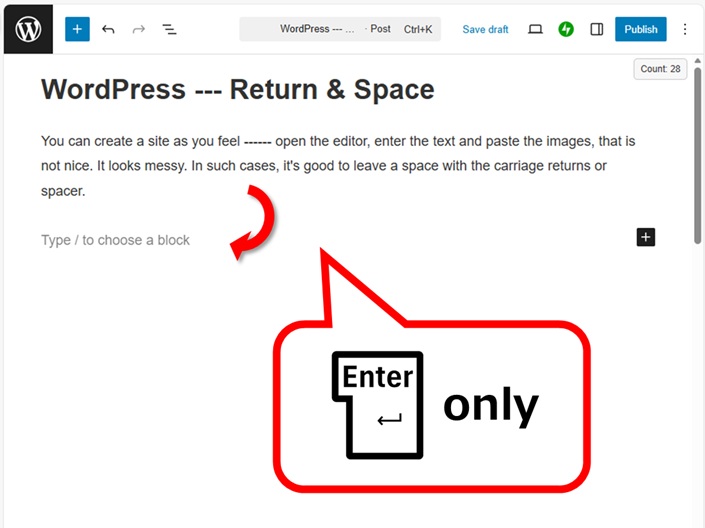
Just pressing ENTER key, it’s not a carriage return but creating a new block.
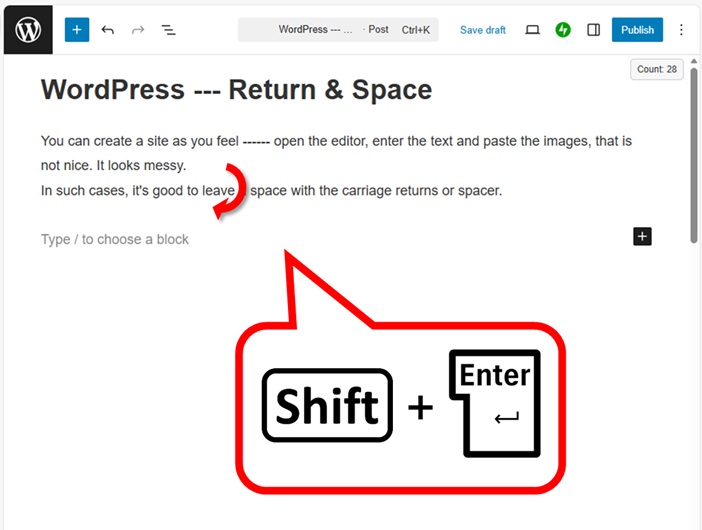
Press  +
+ to get carriage return.
Leave a space with spacer
Using spacer a lot, it doesn’t look messy.
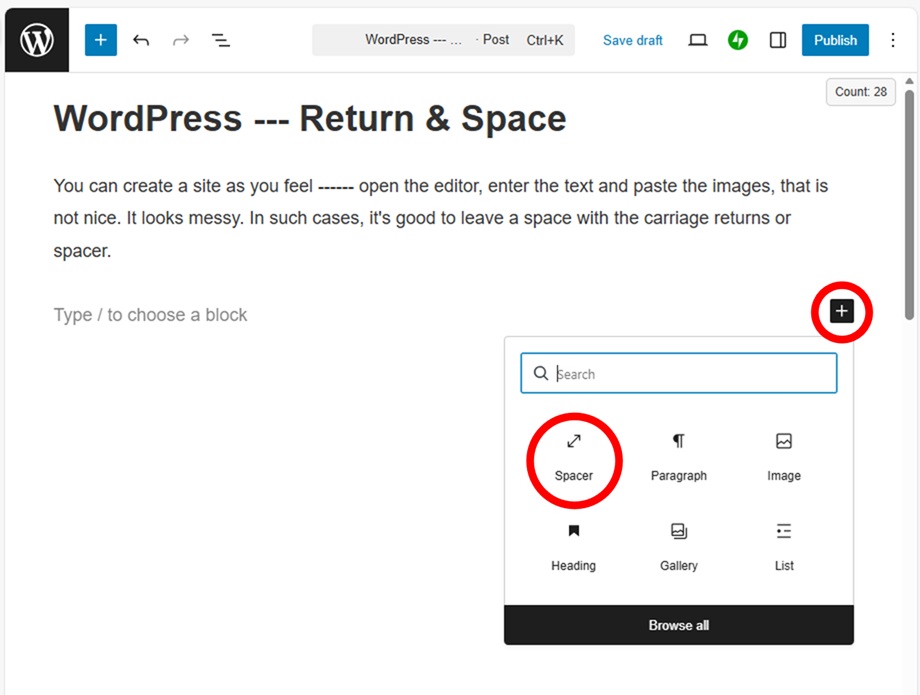
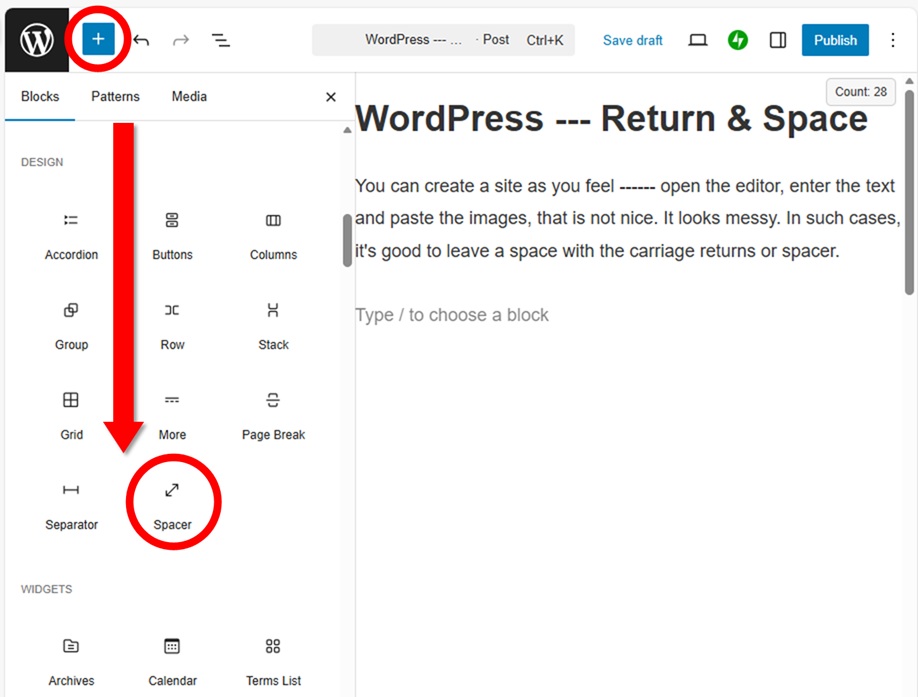
Spacer is 100 pixels by default, so set a favorite size to look better. In this site, small space is set to 36 pixels and large space is set to 100 pixels.
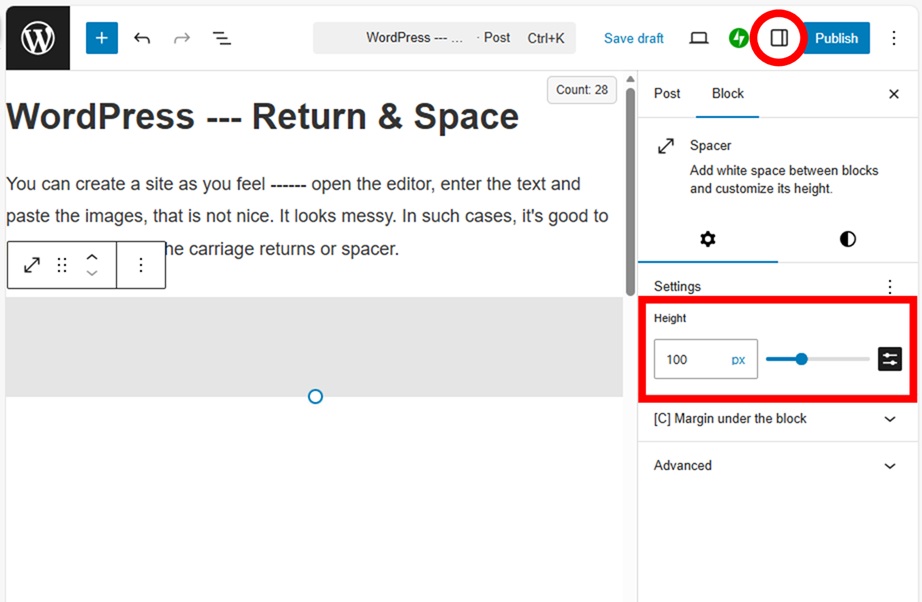
If you want to leave a space with breaking lines, continue pressing +.
Keep in mind that PCs and smartphones look different. Most accesses are come from smartphones, so it’s good to set a size for smartphones. It feels like a bit narrow on PCs.
Carriage Return on smartphone
As smartphone doesn’t have Shift button, so you need to open the code editor.
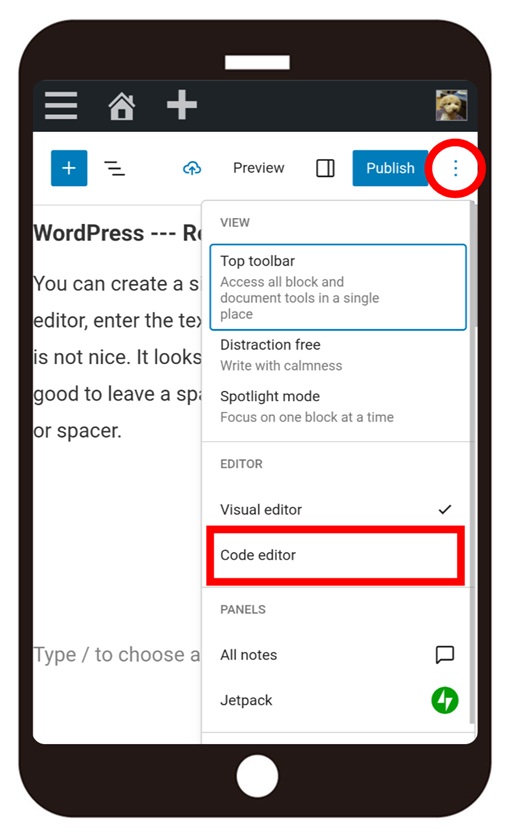
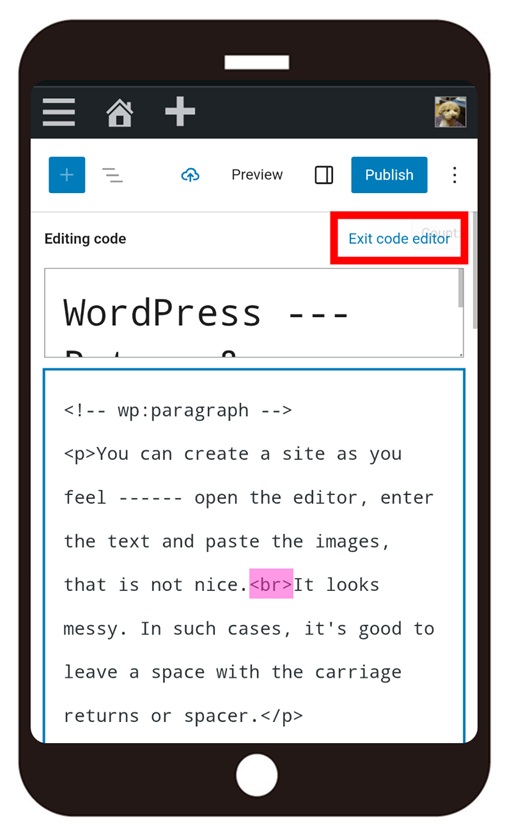
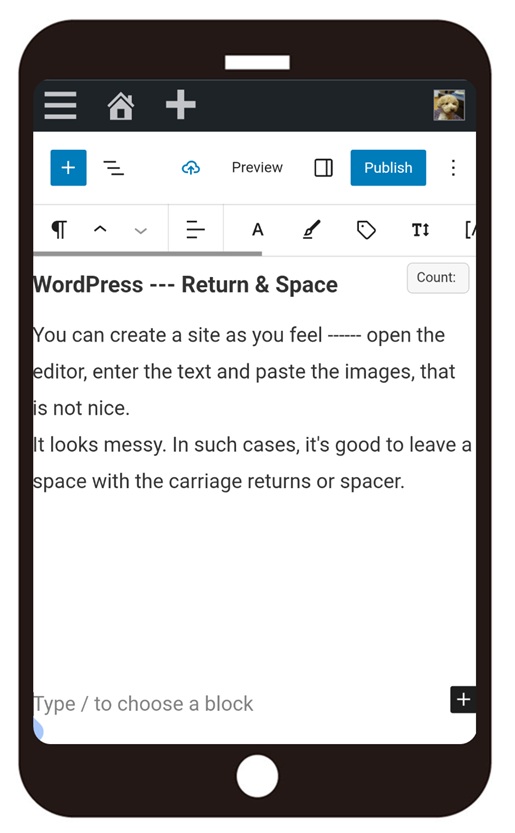
Enter “<br>”, where you want to break a line.
“<> (inequality)” can be given from the numeric keypad.
If you want to change a new block to carriage return, change the pink colors to <br>.
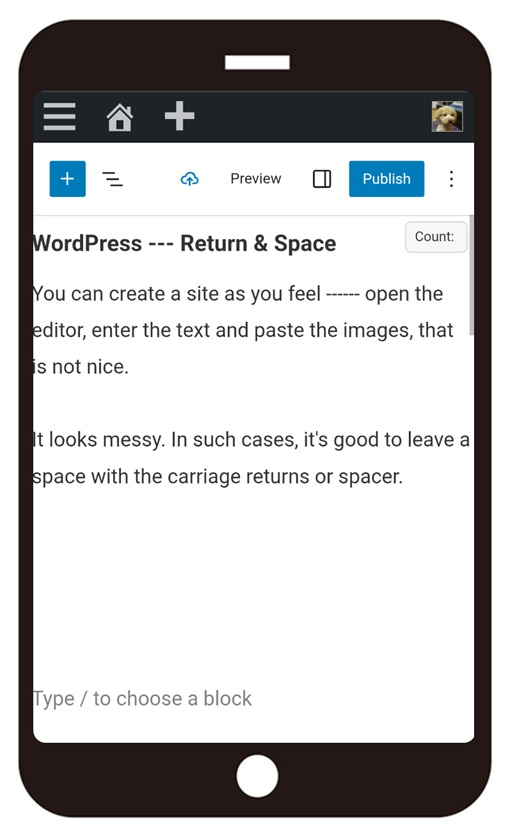
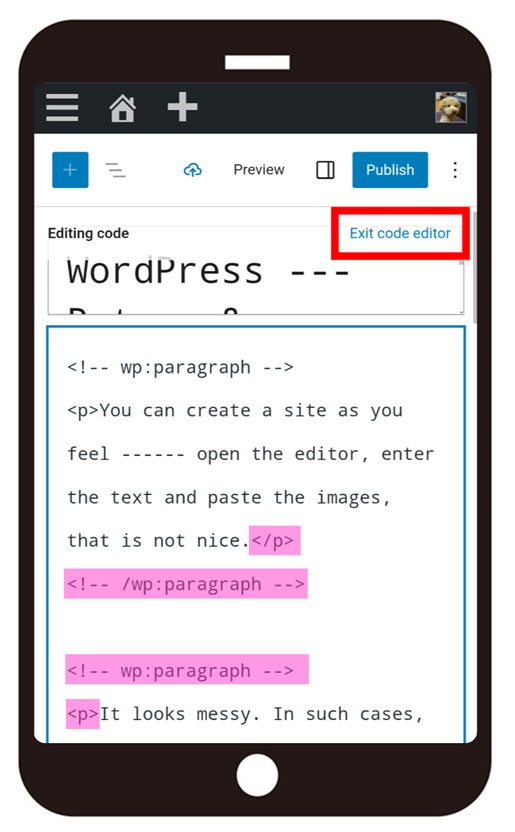
It’s smart to delete other letters after changing <p> or </p> to <br>.
If you feel this article “Like!”, click the ads below ⇩⇩
Your click makes my affiliate income. It motivates me (^^;.
If you give a tip ——
Leave a comment(コメントを残す)