

Extract (Excerpt)
Category & Tag
Back to Draft
Comment on/off
Return & Space
Block Template (Pattern)
Font Color & Frame
Fix a Block to the Top
Create a Button
Internal Page Jump
Display an Image over the Image
Use a Video as like GIF
Add a Menu Bar
Set a page/post as Home

Do you ever been in trouble with reverting to draft ? When you want to make a published page/post returning to a draft, you don’t know how. Asked AI, it only explain it by text, so it can’t understand at glance. Actually, it’s easy to understand by image.
Let me tell you how.
WordPress — Revert to Draft
It can be done from here.
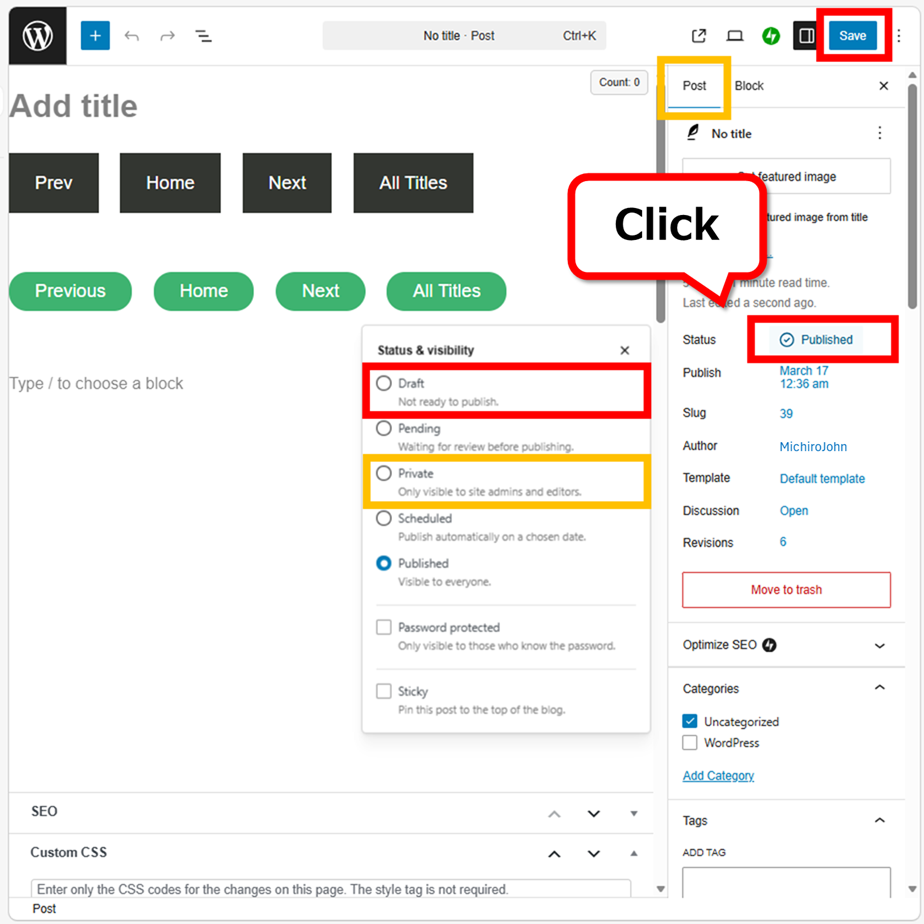
The informations below the featured image can be edited. You can set a lot of functions from here. When you click on “status”, a pop-up menu will appear on the left. Select “Draft” or “Private”, then press “Save” at the upper right corner. The status will not change unless you save it.
“Private” becomes an easy member’s page. It has a lot of uses.
It becomes a page/post that administrators and editors only can view. It’s not listed in “Recent Posts”, and even if there is a link, it’s not accessible for visitors. “404 not found” is appeared. It is even useful for the case you don’t want to publish the page/post but you want this URL. You can link it to other page/post easily.
WordPress — Quick Edit
You can do it from Quick Edit as well.
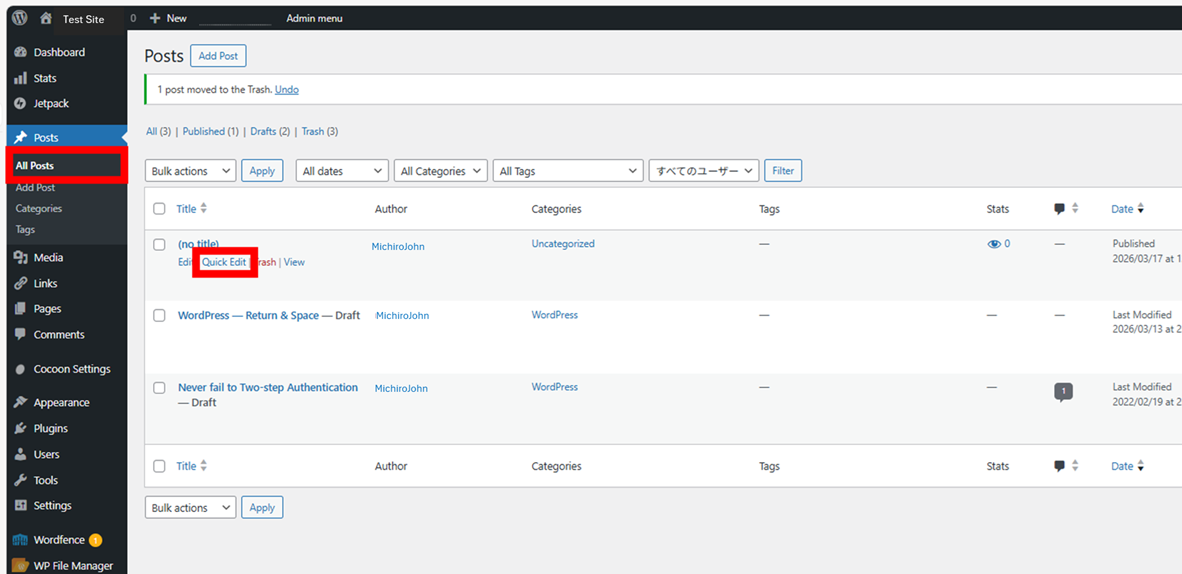
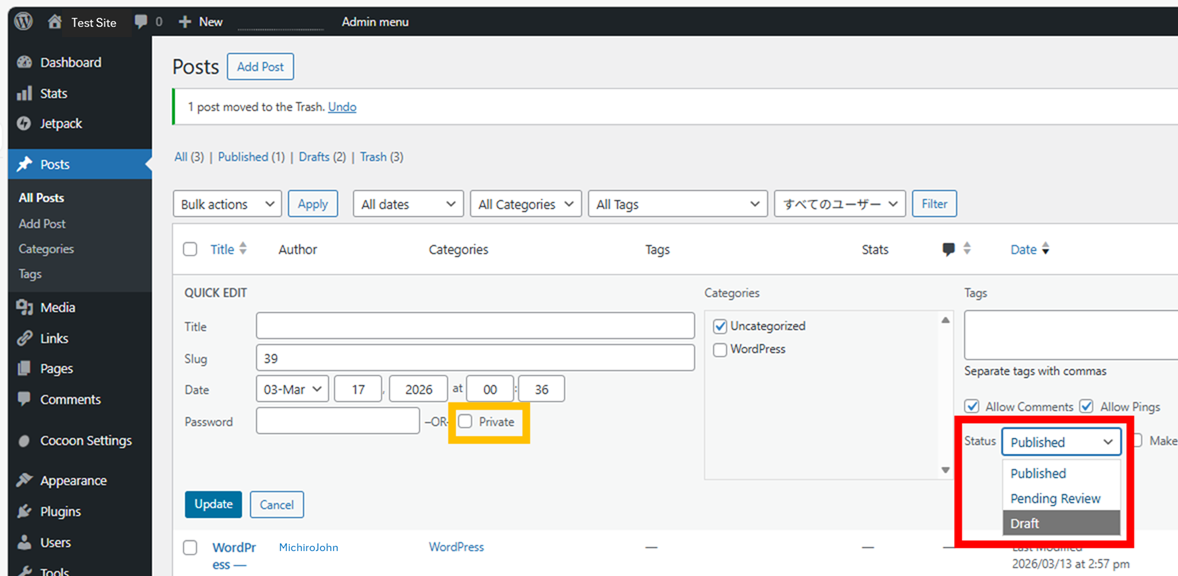
Select the status and press “update”.
It is also possible to make it private.
Thank you for reading.
If you feel this article “Like!”, click the ads below ⇩⇩
Your click makes my affiliate income. It motivates me (^^;.
If you give a tip ——
Leave a comment(コメントを残す)